External storage
Repositories location
The repositories (i.e. the raw backup data from BorgBackup) are stored in the repos directory:
- Under Docker: the
reposvolume. - Baremetal:
/home/borgwarehouse/repos.
There are two ways to use external storage, described below.
Option 1: one external storage for all repositories
Point the whole repos directory at the storage of your choice. BorgWarehouse works with any storage you can mount as a directory (SSHFS, NFS, SMB/CIFS, a dedicated disk, an rclone mount, etc.):
- Baremetal: replace
reposwith a symbolic link to your mount, or mount your storage directly on/home/borgwarehouse/repos. - Docker: bind-mount your storage as the
reposvolume.
BorgWarehouse then uses it transparently, with no extra configuration.
PUID/PGID of your instance. Setting up and maintaining the mount is up to you and outside the scope of this guide.Option 2: a different storage per repository (from the UI)
Instead of a single storage for everything, you can keep some repositories local and send others to one or several external storages, chosen from the UI when creating each repository. BorgWarehouse stores the data on the selected storage and adds a symbolic link inside repos/ automatically, so quota, storage usage and last backup keep working transparently.
Setup
Mount your external storage(s) on the host, anywhere outside the
reposdirectory (for example/mnt/nas). BorgWarehouse only needs a writable directory; how you mount it is up to you.In Docker, mount the storage on the host and bind-mount it into the container (FUSE is not available in the unprivileged container). The mount owner must match yourPUID/PGID.Declare the mount point(s) in the
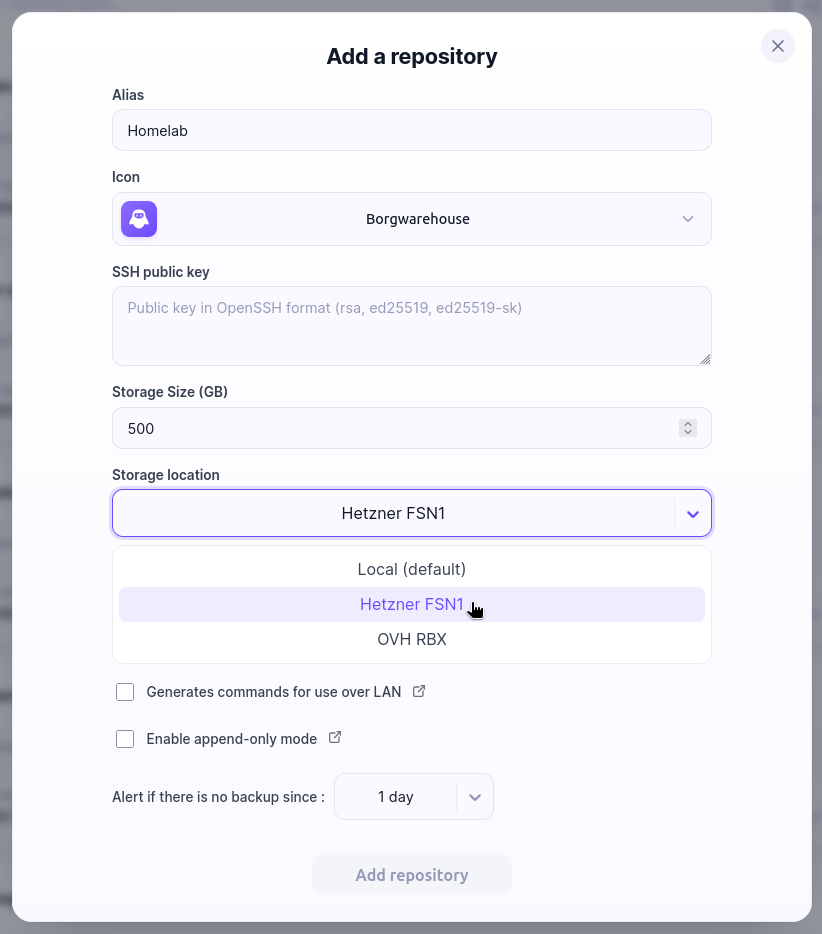
STORAGE_TARGETSenvironment variable (comma-separated absolute paths). You can add an optional display name with thepath|namesyntax:STORAGE_TARGETS="/mnt/nas|Home NAS,/mnt/backup-disk"The name is only for display in the UI. The path stays the source of truth; a target without a name simply shows its raw path.
In Docker, remember to also bind-mount these paths into the container:
volumes:
  - /mnt/nas:/mnt/nas
  - /mnt/backup-disk:/mnt/backup-disk
Restart BorgWarehouse. When creating a repository, pick the storage in the “Storage location” selector.
Monitor your storage targets
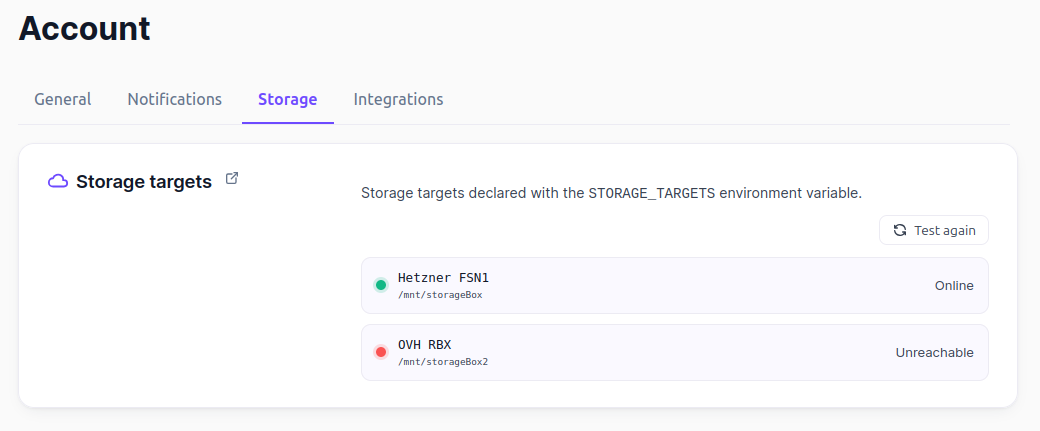
A Storage targets section in Account → Storage lists every declared target (with its name when set) and a live status:
- 🟢 Online: the mount point exists and is writable.
- 🔴 Unreachable: the mount point is missing or not writable (e.g. a dead mount).
Use Test again to re-run the check on demand.
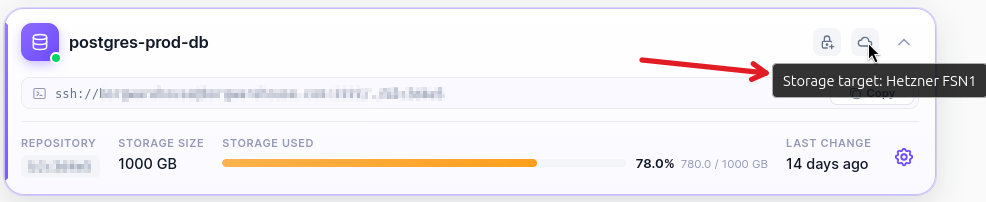
The name also appears in the storage chip on each repository in the list (hover to read it).
Good to know
- A storage target must be outside the
repospool. BorgWarehouse refuses to create a repository whose target is the pool itself or nested inside it. - BorgWarehouse does not mount the storage for you; keeping the mount alive is your responsibility.
- The storage is chosen at creation time only and cannot be changed afterwards.
- Deleting a repository stored on an external target removes both the symbolic link and the data on the external storage.
- Each repository still requires its own SSH key (an OpenSSH limitation, independent of the storage location).